Invoice Forms for Contractors: Free Google Sheet or a $60.00 Book?
Techs who bill at the door need numbered 2- or 3-part carbonless books, which Printit4Less lists from $60.00 without stating the form count. Office billing starts with a free Word, Excel or Google Sheets template, and sheet automation fits only when every job already lives in a Google Sheet.
A tech who bills at the door can hand over a numbered carbonless copy. Carbonless paper copies your writing onto the sheet beneath, with no carbon sheet needed. Printit4Less lists its carbonless Contractor Job Invoice from $60.00.
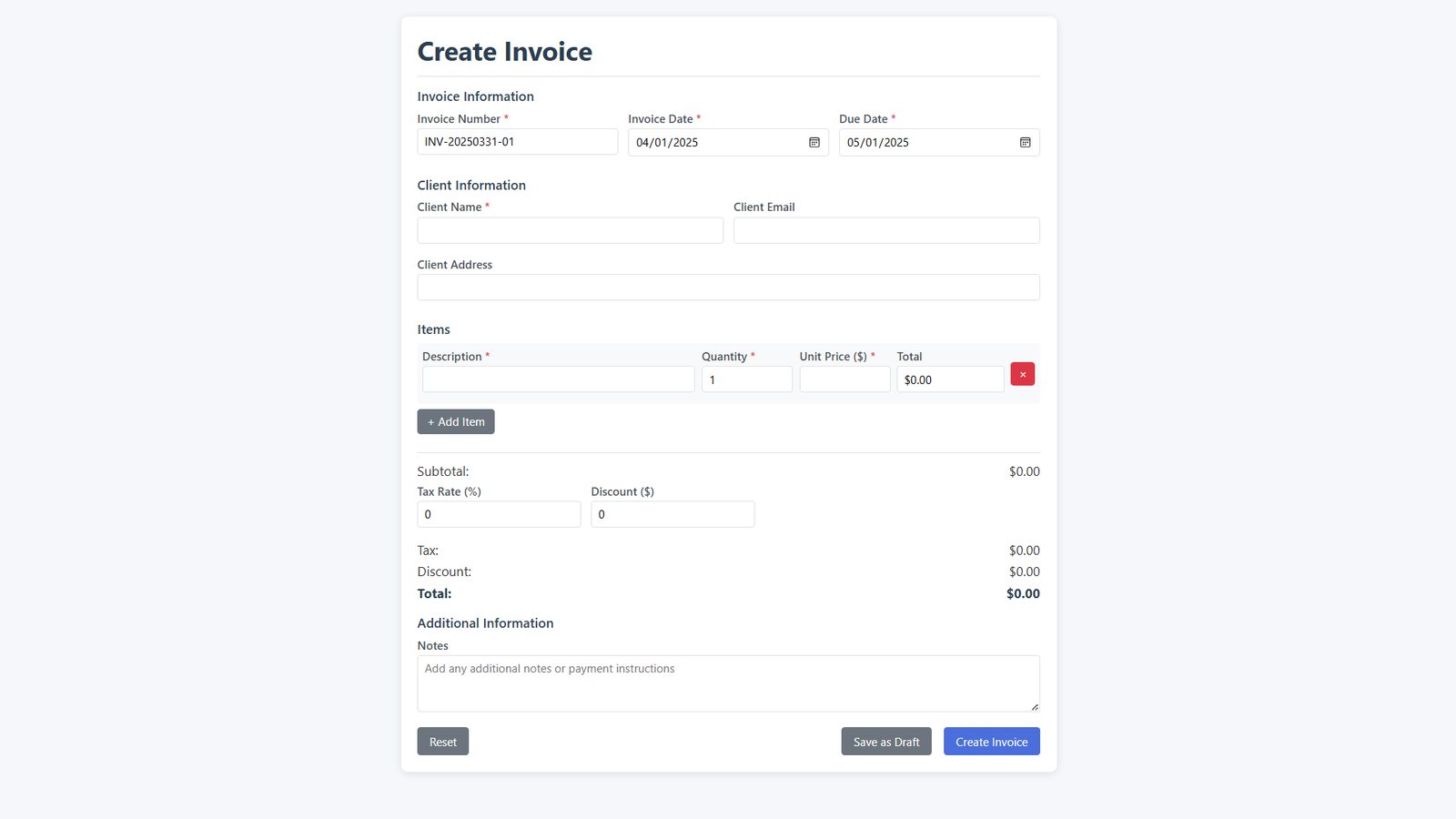
An office that bills from a laptop can start on a free Word, Excel or Google Sheets file and pay nothing. If you track jobs in a Google Sheet, the Google Sheets add-on Portant can fill the invoices in for you.
A Contractor Invoice Form Shows Quantity, Description, Unit Price and Amount
Printit4Less’s General Contractor Invoice Form uses four columns: quantity, description, unit price and amount. It holds 26 item lines in total, so a job with more items than that runs onto a second form.
Each line’s amount is the quantity times the unit price. That column is where your price, markup included, reaches the customer.
Free templates add structure by job type. InvoiceQuick says its general contractor templates are built for materials, labor and change orders, and that its online generator works without a sign-in. A change order is a priced change to the agreed scope of work, so a template with a slot for it saves you inventing one.
Carbonless Books Start at $60.00, but the Price Line Omits the Form Count
Printit4Less lists its Contractor Job Invoice from $60.00 on 2- or 3-part carbonless paper (price as read October 2026). The price line does not say how many forms $60.00 buys. Without that count, you have no per-invoice cost to set against a $0 template. Ask Printit4Less for the number before you order.
On the same listing, you choose 2- or 3-part paper, ink color, numbering, and whether the invoices come bound into books. A 3-part set makes one more copy of each invoice than a 2-part set. Numbering prints a different number on every form, so no two tickets share one.
Printit4Less sells these as two separate listings. The 26-line, four-column layout belongs to the General Contractor Invoice Form. The $60.00 carbonless price belongs to the Contractor Job Invoice. Don’t assume the $60.00 book has 26 lines.
Billdu Offers Word, Excel and Google Sheets Files Now; InvoiceQuick Says Coming Soon
Billdu, an invoicing app, offers its contractor invoice template examples as downloads in Word, Excel or Google Sheets. Its page says “We’ve created free invoice forms.” If your office already keeps its books in one of those programs, the file opens in software you already have.
InvoiceQuick’s contractor invoice template page contradicts itself. It says you can “Download and edit in PDF, Word, Excel, Google Docs, or Google Sheets.” The same page then lists “Coming Soon: Sheets, Word and Doc Templates.” PDF and Excel are the two formats that stay off the coming-soon list.
Until those files arrive, InvoiceQuick still offers its no-sign-in online generator, and Billdu offers a Google Sheets download now.
Portant Needs Each Job Typed Into a Google Sheet First
According to its independent contractor invoice template page, Portant links a Google Sheet to an invoice template. Invoices are then generated and sent from the sheet’s data. Job data you type once becomes the invoice.
If you don’t keep a sheet yet, the page tells you to create one and add your column headers. If techs write tickets on paper, someone still has to type each job into that sheet before Portant can bill it.
The page calls Portant “a free Google Sheets invoice template,” but it lists no automation price. Check Portant’s Pricing page before you build on it.
Side by Side: Only the Book Route States a Dollar Price
Prices were read in October 2026. Rows run from printed forms to online templates to sheet automation. Each “Free” cell quotes the vendor’s own page.
| Route (listing) | Format | Stated price | Line layout |
|---|---|---|---|
| Printit4Less Contractor Job Invoice | Printed 2- or 3-part carbonless; numbering and binding optional | From $60.00; form count not stated | Check the listing |
| Printit4Less General Contractor Invoice Form | Printed form, separate listing | Check the listing | 4 columns, 26 item lines |
| InvoiceQuick general contractor templates | Online generator, no sign-in | Free: “Free invoice templates for general contractors” | Built for materials, labor and change orders |
| Billdu contractor templates | Word, Excel or Google Sheets download | Free: “We’ve created free invoice forms” | Check the file |
| Portant | Google Sheet linked to an invoice template | Template: “a free Google Sheets invoice template”; automation price not listed on the page | Filled from the sheet’s data |
| Route | Fits | Weak spot | Fix |
|---|---|---|---|
| Carbonless job invoice | Techs who write the bill on site | $60.00 price omits the form count | Ask for the count, then divide |
| InvoiceQuick | Jobs with change orders | Sheets, Word and Doc marked “Coming Soon” | Use the generator, or Billdu for a Sheets file |
| Billdu | Office billing in Word, Excel or Sheets | A file, not a carbon copy at the door | Carry carbonless books for on-site billing |
| Portant | Shops already logging jobs in a Google Sheet | No automation price on the template page | Check Portant’s pricing page first |
A 40% Markup Is a 28.6% Margin
InvoiceFly’s contractor invoice template page says most construction businesses use a markup of 20-40%. Markup and margin are different numbers. Markup is profit divided by your cost. Margin is profit divided by the customer’s price.
On $100 of parts (an example figure):
- A 20% markup bills the parts at $120.
- Margin = $20 / $120 = 16.7%.
- A 40% markup bills the same parts at $140.
- Margin = $40 / $140 = 28.6%.
So if you want a 28.6% margin on parts, the markup has to be 40%.
On the form, the markup sits inside the unit price. Write the marked-up price in that column, and the amount column carries it. This covers materials only. Your labor rate and the full job quote are separate numbers.
Some Rebate Programs Use Their Own Invoice Form
If a job runs through a utility or rebate program, ask whether the program has its own invoice form. One ductless heat pump program invoice form listed on pdfFiller must be filled in by the installation contractor. It says “all applicable fields are required for approval,” so fill in every applicable field before you send it.
Verdict: Free Files for Office Billing, Numbered Carbonless Books for Door Billing
- Verdict: If your 1-15 tech shop bills from the office, start with a free Billdu file in Word, Excel or Google Sheets.
- Flaw and fix: A downloaded file gives a tech at the door no carbon copy to hand over. If your techs bill on site, order numbered 2- or 3-part Printit4Less carbonless books.
- Strengths: Billdu’s free Word, Excel and Google Sheets files are offered now. InvoiceQuick still marks Sheets, Word and Doc as coming soon.
- Skip it if: you already log jobs in a Google Sheet. Then Portant’s sheet-to-invoice route fits, once you confirm its price.
Next step: Once you know where your bills get written, grab the matching blank form from our free contractor templates and put your next invoice on it.
Sources
- https://www.printit4less.com/product/general-contractor-invoice-forms/
- https://www.printit4less.com/product/contractor-job-invoice/
- https://invoicequick.com/invoice-templates/general-contractor-invoice-template
- https://invoicequick.com/invoice-templates/contractor-invoice-template
- https://www.billdu.com/invoice-template/contractor-invoice-templates/
- https://www.portant.co/invoice-template/independent-contractor-invoice-template/
- https://invoicefly.com/free-resources/free-templates/free-invoice-templates/contractor-invoice-template/
- https://www.pdffiller.com/en/catalog/contractor-invoice-template.htm